Essentials to Know About Software Licenses
Bet this sounds familiar: A screen full of legalese opens up when you download some new software. You immediately scroll to the bottom and click “I agree.”
Most of us don’t actually read license agreements. This is not a good idea for individual use. Worse, it’s a real risk for businesses.
Even if you don’t read every one of those 60 pages in the End User License Agreements (EULA), it’s important to know the conditions for your license. You can often find this on a sales page or in a feature chart. This helps you understand the basics of your agreement.
After all, a software license legally establishes the conditions of your using that particular software program. For example, you may not be allowed to use the personal or educational license for commercial use in your business.
Why are software licenses important?
Software licenses protect the software developer or publisher and you, the user. The agreement establishes clear guidelines to help prevent misuse and copyright infringement.
You can run into legal and financial difficulties if you don’t understand the agreement; software licenses protect the developer’s intellectual property rights, after all. For example, you’ll often have to agree to a certain number of users for that copy of the software. If your license is for three users, you are risking legal ramifications if you’re using it for ten people in your business.
Keeping track of the number of people using a software license can also save your business money. You might have more licenses than users, for example, which is a waste of resources.
What else do I need to know about software licenses?
Along with rightsizing your software spending, also track renewal dates. You may have that license only for a year before you have to pay for it again. You don’t want to learn, on a deadline, that you’re locked out of essential software due to license expiration.
Different licenses will have various durations, so keep an eye out for renewal notices, and be proactive. See expiration dates as an opportunity to revisit the number of users licensed. You might also negotiate better pricing, or see this as a deadline to transition to a different program instead.
The software also reaches end-of-life or end-of-support after a set period of time. Typically, it’s ten years from its first release. You might continue using that software, but you put yourself at risk of vulnerabilities. The developer no longer patches and upgrades the software to protect it from cyber threats.
Software license best practices
Using software without a license risks fines, prosecution, and jail time. Companies such as Microsoft and Adobe will prosecute, or even pay rewards to people who report software piracy. The only exceptions are open-source software or freeware licensed for anyone’s use. Even in this case, though, it’s still important to review the sales page or features chart. It might state you can’t use that freeware for commercial use.
Try these best practices to avoid legal and financial concerns:
- Read the agreements before you agree.
- Don’t use software without a license.
- Develop a process for monitoring your licenses.
- Review your agreements, at least annually.
- Consider partnering with a managed service provider to handle your software license management.
Our experts can help. Contact us today at (416) 645-2469, (905) 667-0441 or email us to learn more about our comprehensive services.
Want to be notified when our next blog is posted, sign up here.
Getting the job done is the focus. Many of us don’t spend much time thinking about how we’re setting up our workspace to do our tasks, yet desk ergonomics can increase productivity, lessen muscle fatigue, and cut work-related aches.
You know not to open an email attachment from someone you don’t know. You also avoid downloading unexpected files or questionable popups when you go online. But did you know there’s malware that requires zero action from you? Zero-click malware can infect your device without any interaction on your part.
You come across a thumb drive, or USB drive that you don’t recognize. Maybe you find it in the car park of your building or by the copier in the office. You’re curious or you want to plug it in to identify where to return it. Don’t do it. Risks abound.
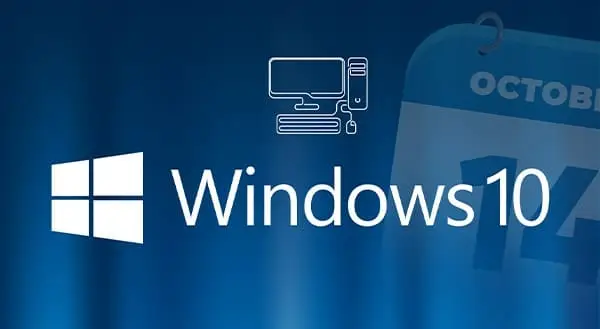
Few of us are big fans of change. It can be easier to keep on going down that same path or use that same computer software; it’s comfortable and familiar. As of January 10, 2023, however, Microsoft has stopped providing support for Windows 8.1, which means you need to make a change.
There’s one big assumption about cyber attackers that we regularly refute: “It can’t happen to me.” At this point, most businesses do recognize the serious nature of the cyberattack threat. Yet other assumptions about cyberattackers may also make your business vulnerable. Educate your employees about these four main misconceptions. Raising their awareness can help secure your systems against social engineering attacks.
With “Googling it” now a common expression, it’s safe to say you do a lot online. To do it all you’re using a Web browser (such as Chrome, Edge, Firefox, etc.). To do it all more efficiently or effectively, you could be using browser extensions, but this article is going to warn you against doing so.
There is no shortage of business technology out there to choose from. The sheer volume of options is overwhelming, and it can be challenging to identify the right solution for your business. This article provides ideas to help you make smart IT purchases.
The holidays are busy. We’re trying to get work done to have some fun, and we’re hosting family and friends. Plus, parents that have the holiday Elf tradition must remember to move the doll every night. It’s a lot, and it can make us more likely to fall for scams that can lead to data theft.